Klaiv is a SysML and UML modeling tool for VS Code.
Klaiv is a SysML and UML architecture modeling tool that stores the models as plain YAML in git. The architecture model is authored, diffed, and reviewed in the same pull-request workflow as the software. Because the model lives in the repository next to the code, traceability between architecture and software is part of your normal change review. Klaiv solves the "tool-break" problem prevalent in the regulated system and software industry.
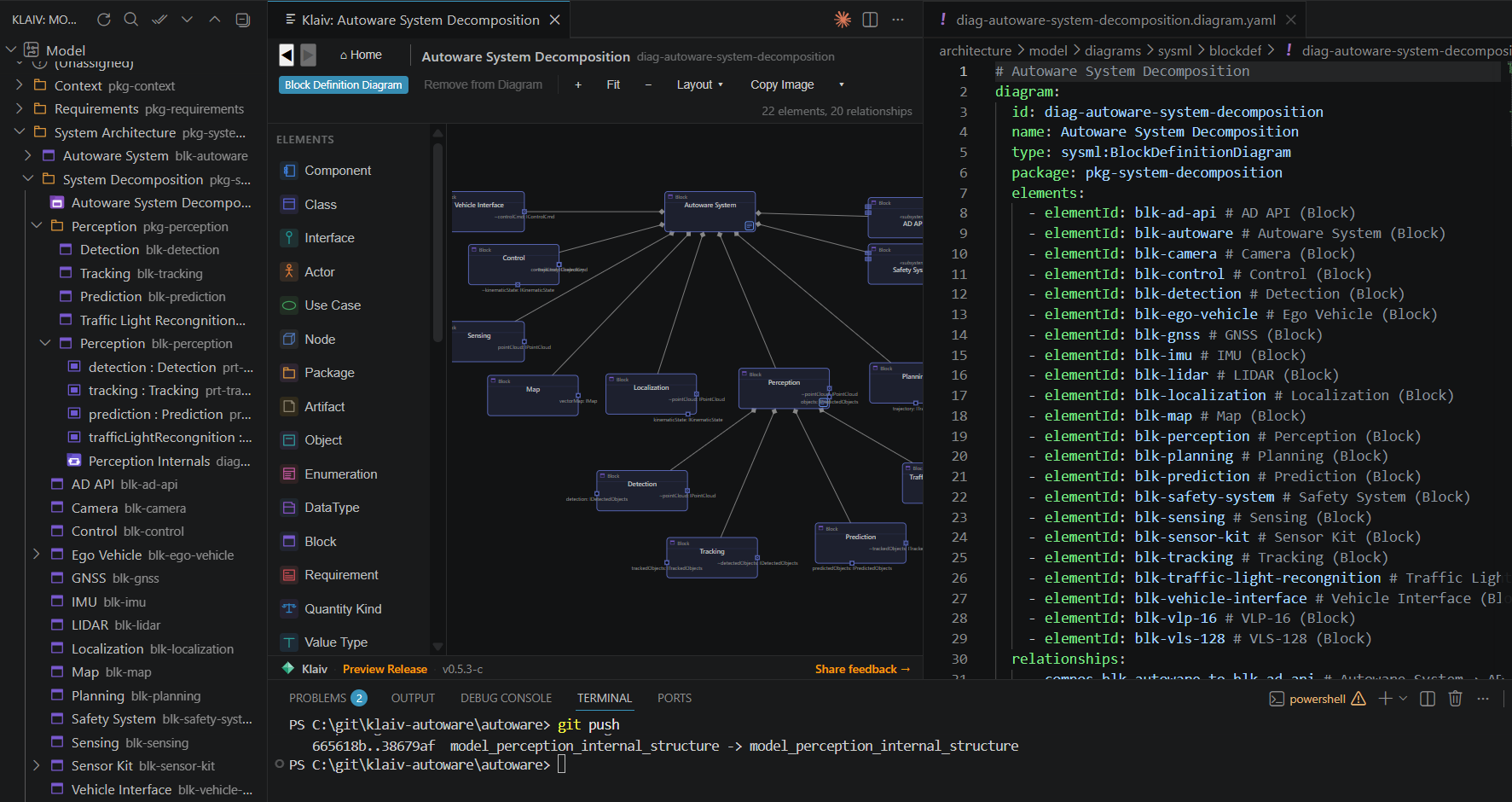
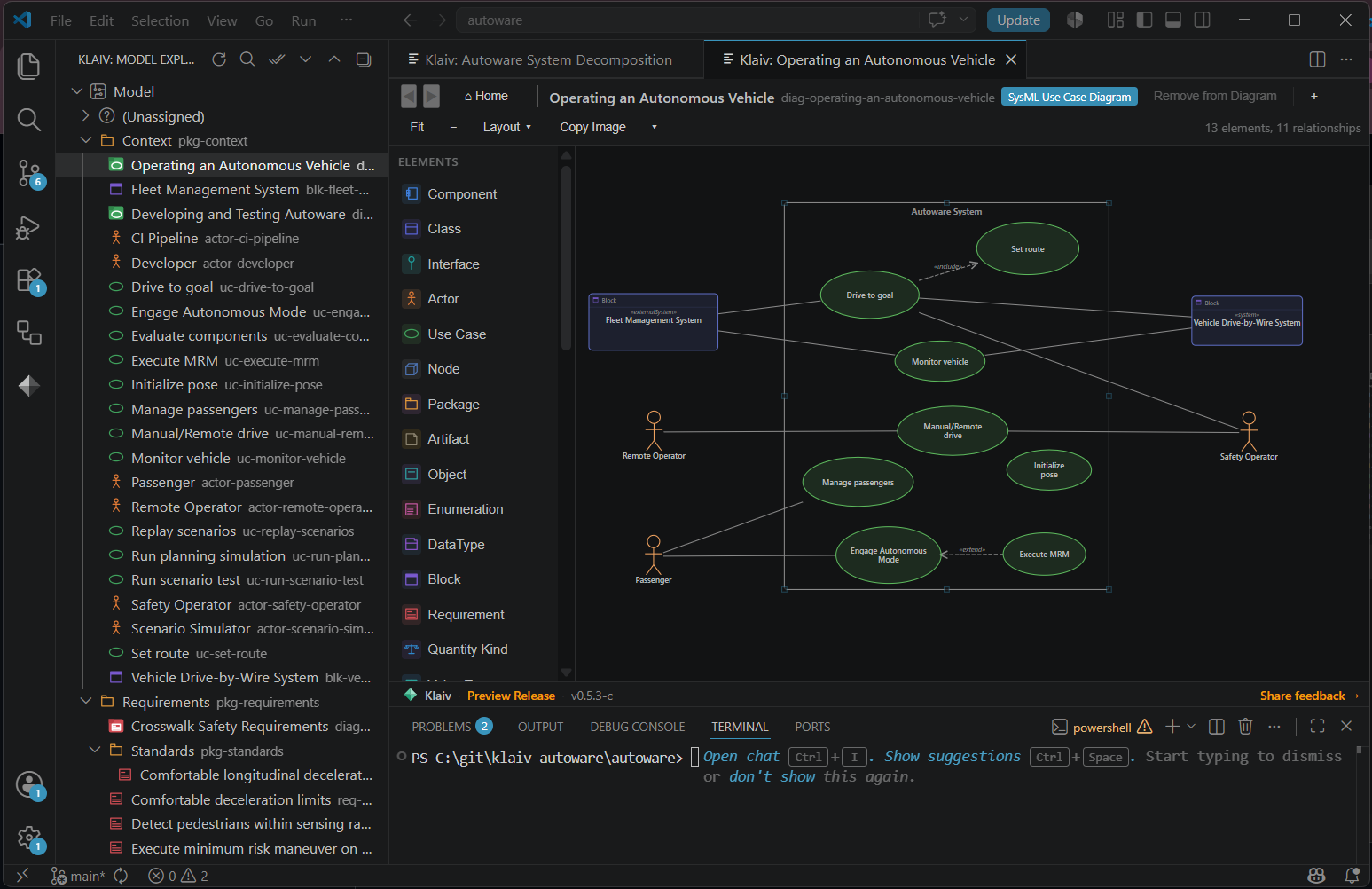
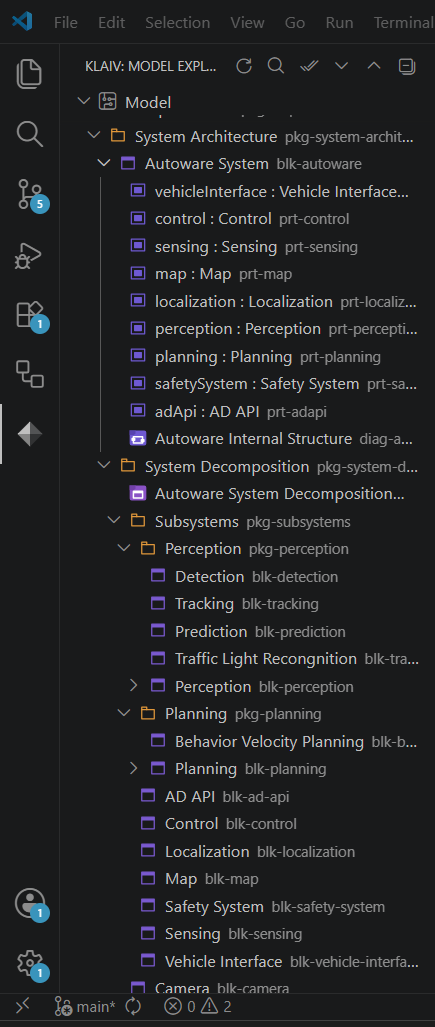
Every screenshot on this page comes from a model of Autoware, the open source self-driving stack. The model is public, and so are its pull requests.
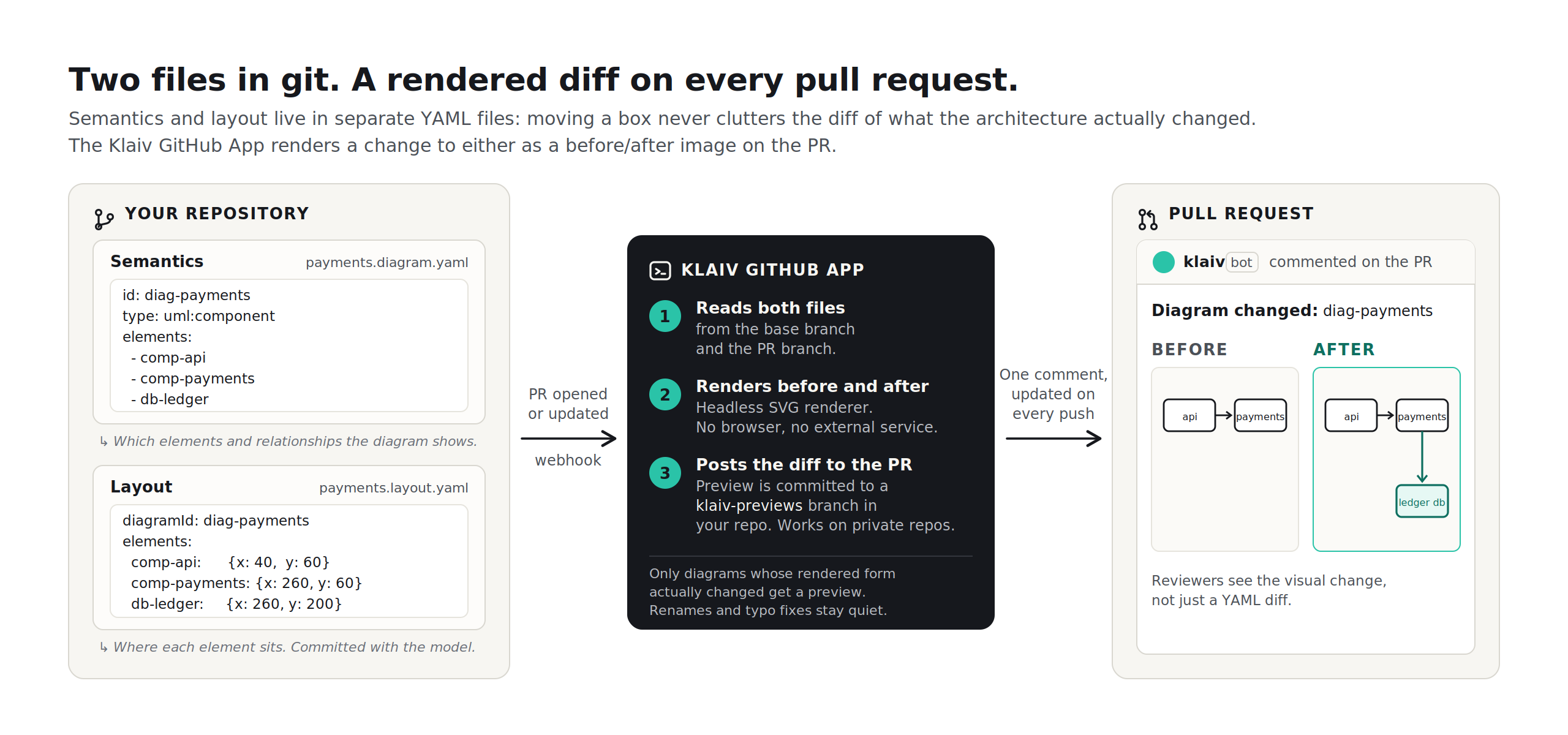
Pull request review
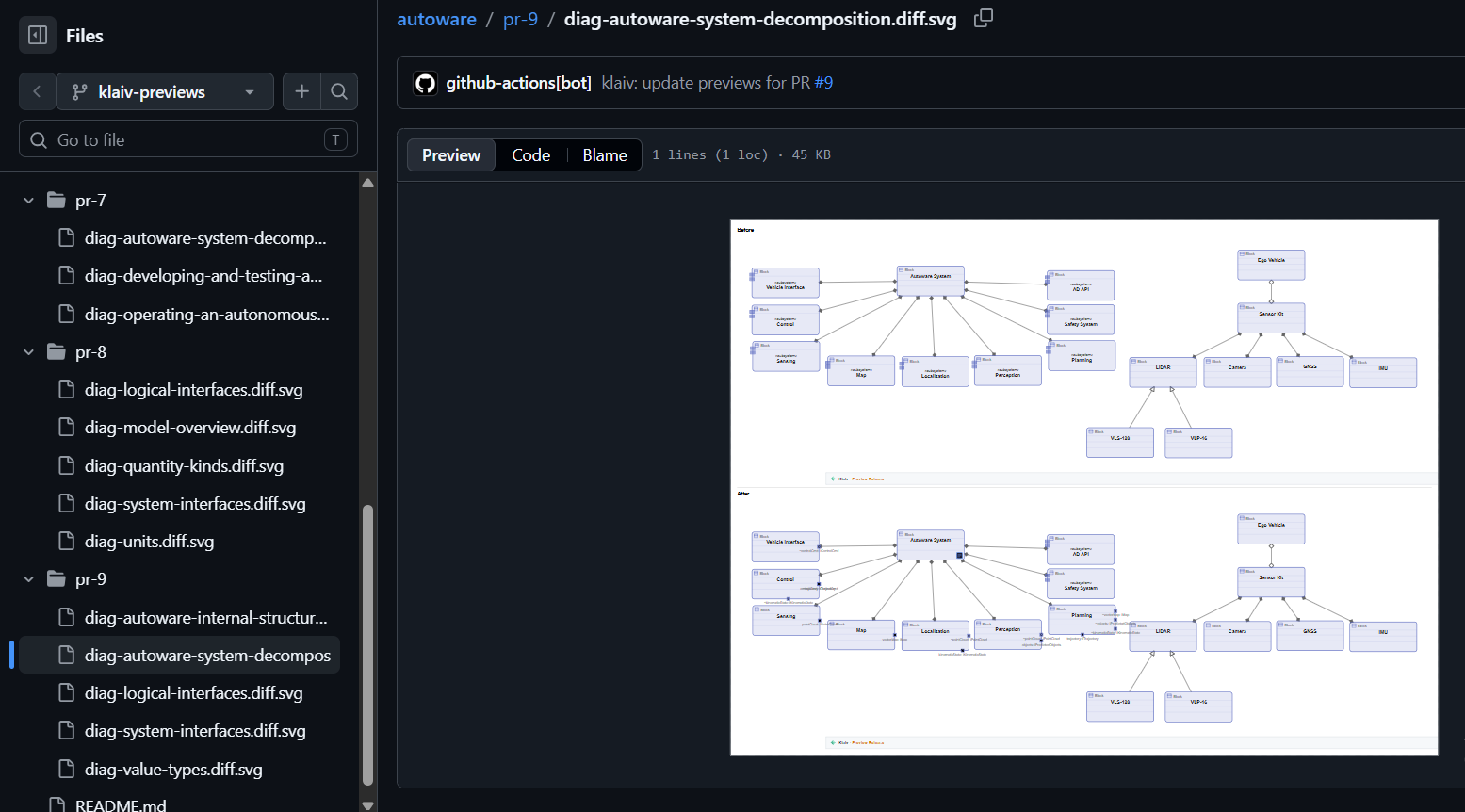
A GitHub Action renders every diagram a pull request changed and posts one comment with the before and after. The reviewer sees what moved on the canvas. Rendered SVGs are pushed to a separate previews branch, which keeps them out of the main history and keeps the comment short when a pull request touches several diagrams. Currently, only available on Github.
Turning it on is covered in getting started.
Example model
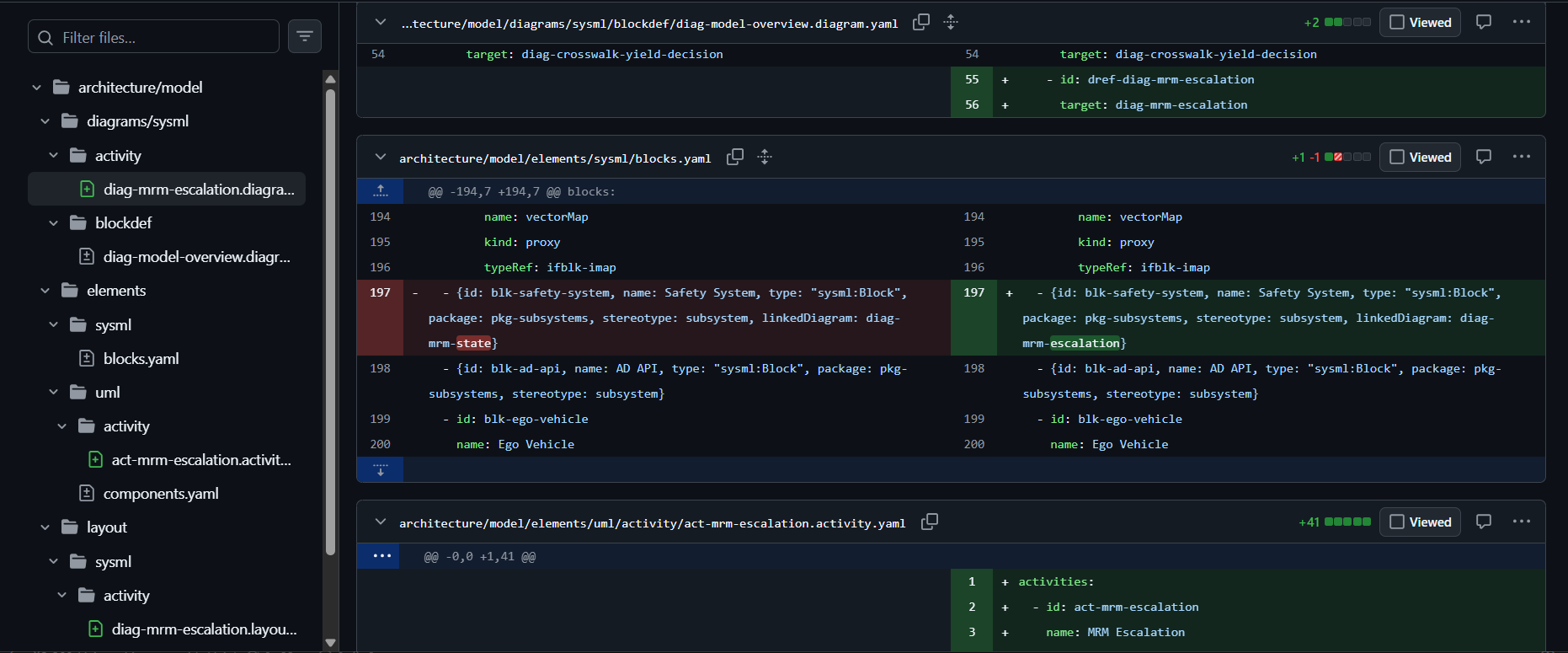
A model of Autoware, the open source autonomous driving stack, is public. 30 diagrams across 14 notations, 115 YAML files. One of them is a ROS 2 node graph drawn with a custom diagram type the model defines for itself. The pull request history is open too. The diff comments shown above were posted there.
Diagram editing
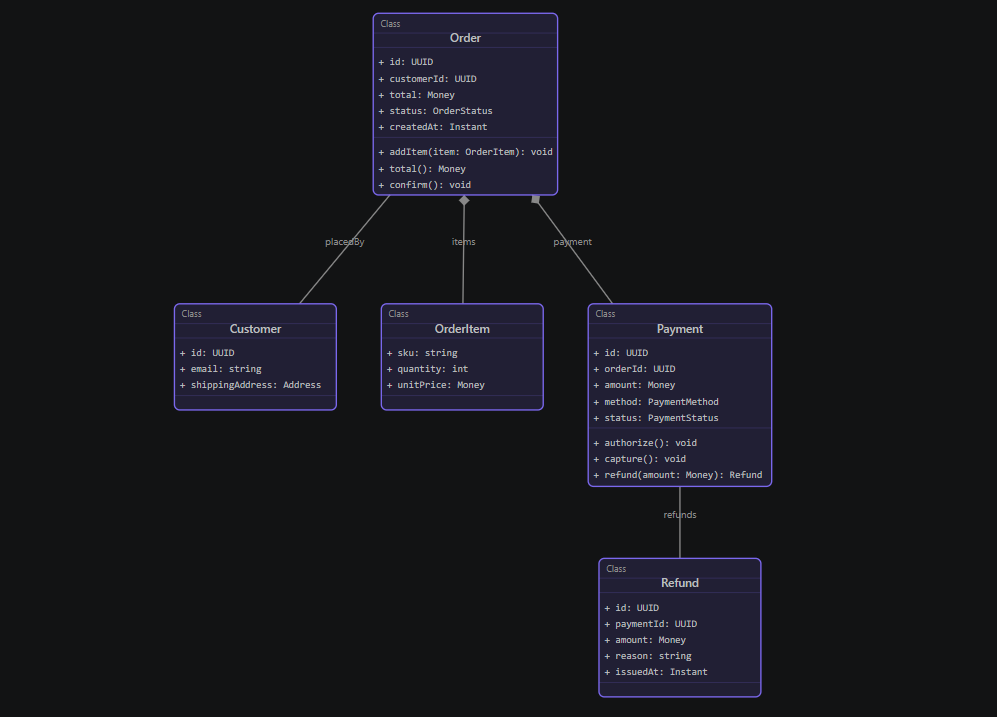
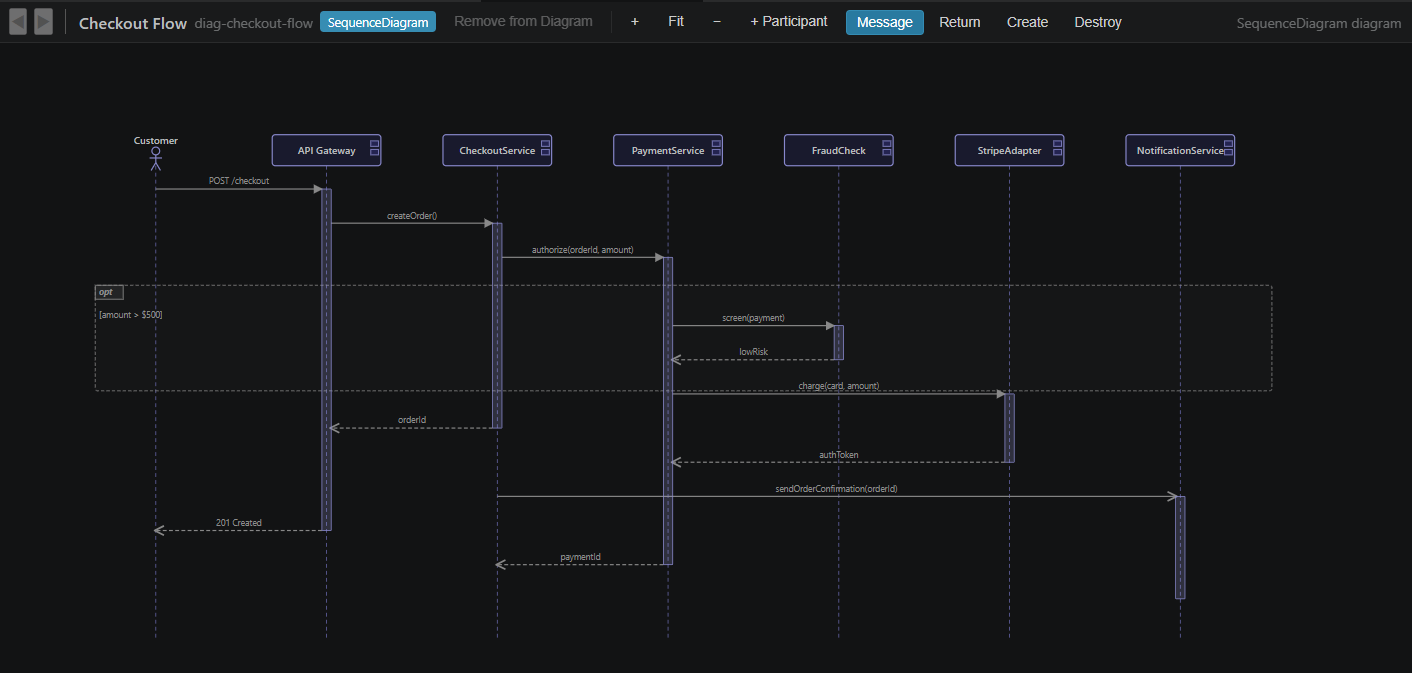
Diagrams are created and edited in the Klaiv canvas, available as an extension in VS Code. Place elements from a palette, draw a relationship in two clicks, resize, route connectors, rename in place. Every edit writes back to YAML. The text and the picture do not drift.
Traceability to code
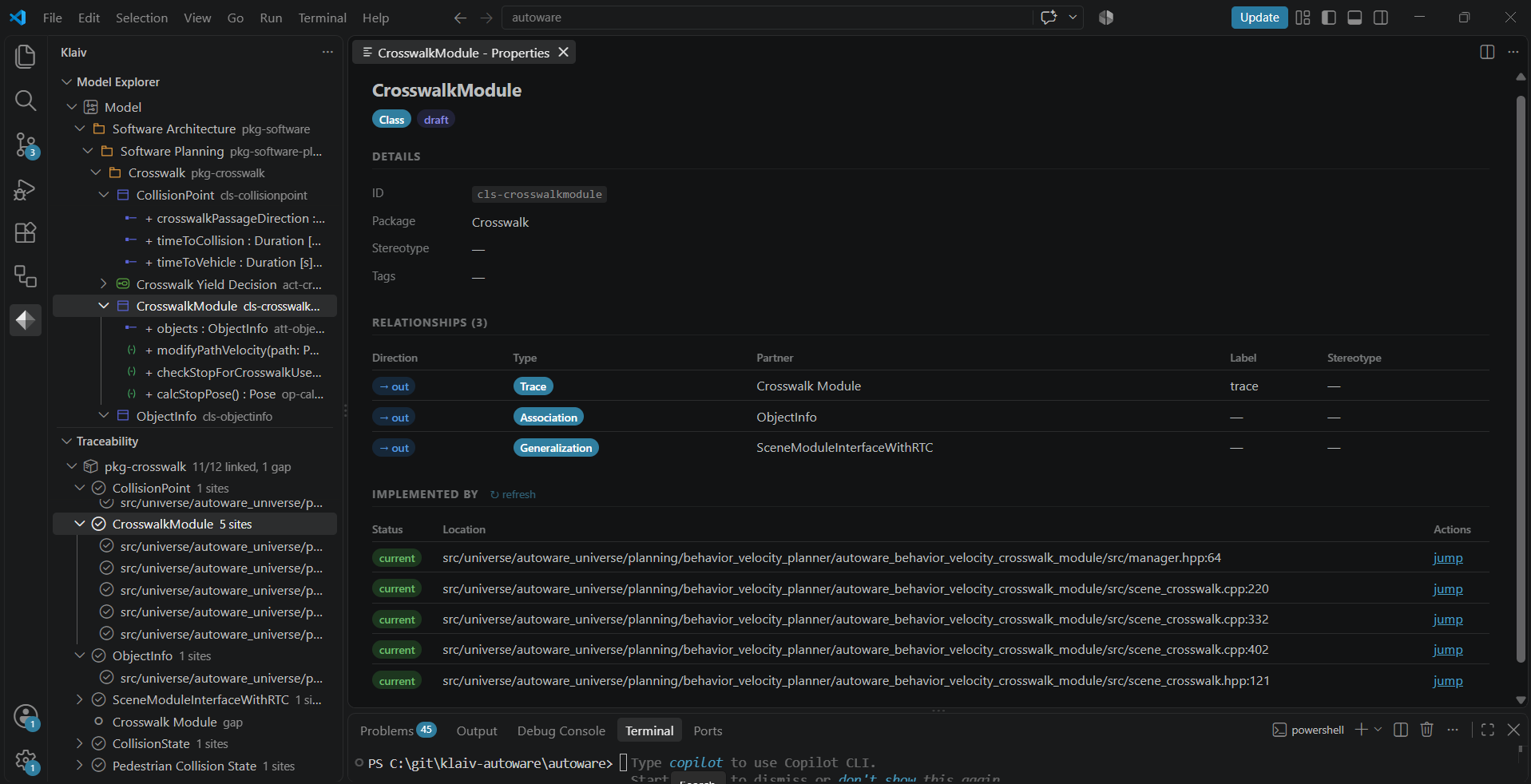
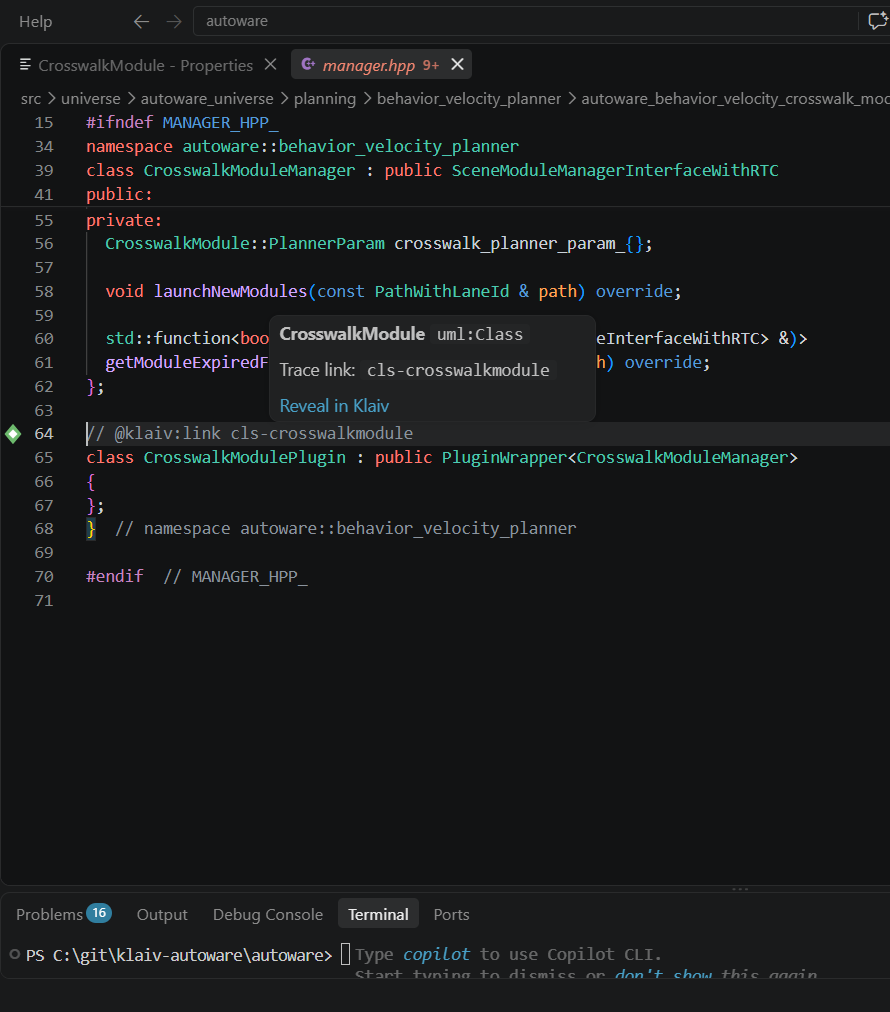
A comment marker in the source binds a declaration to an element. Klaiv fingerprints that declaration when you confirm the link, then rechecks it later. When the code drifts the link turns suspect, in the editor and in the Problems panel. The Traceability panel reports coverage per package: 11 of 12 linked in pkg-crosswalk here, with the gap named rather than rounded away. Languages are C, C++ and TypeScript.
Model validation
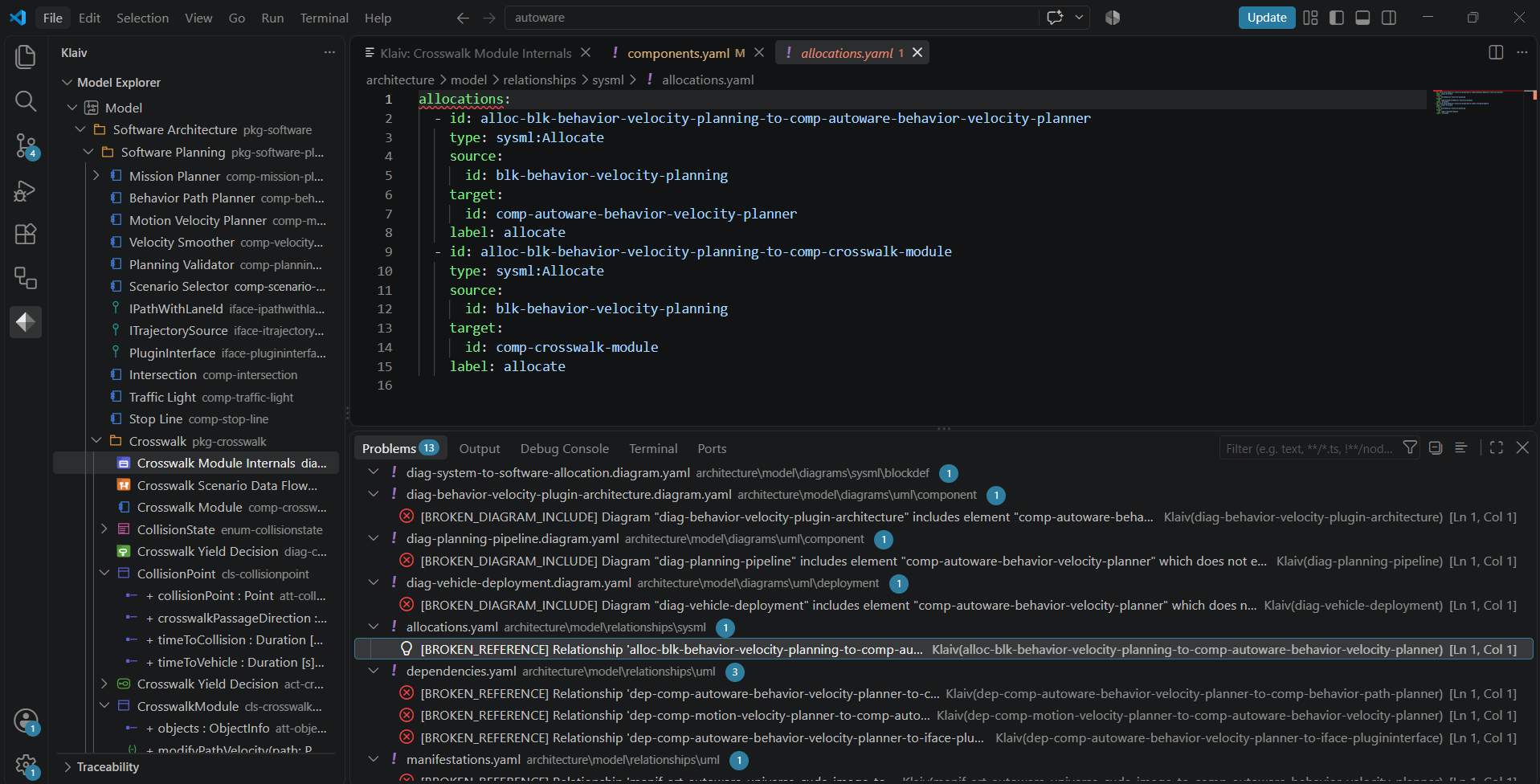
Klaiv checks the model as you work. References resolve across the whole model rather than within one file, so a relationship endpoint, a diagram’s element list, a layout file and a sequence message bound to an operation are all checked against what exists. Findings are graded error, warning or info.
They appear where the problem is: a squiggle on the line in the YAML, an entry in the Problems panel, a coloured border on the element on the canvas. A diagram with one invalid element still opens and renders the rest.
Installation
Install Klaiv from the Visual Studio Marketplace. Open a folder, press Ctrl+Shift+P, and run Klaiv: Initialize New Model. That writes an architecture/ directory with a YAML scaffold. Nothing else is required.
Pilots
Evaluating Klaiv for a project? I work with a small number of teams on paid pilots, modelling a real system alongside them. Write to [email protected].
Licence and support
Documentation, tutorials, changelog.
| Licence | Proprietary. Not open source. |
| Publisher | klaiv-dev |
| Releases | Klaiv is pre-1.0. The model file format still changes between releases, and Klaiv does not migrate an older model for you. Every change is recorded in the changelog. From 1.0 the format is stable, and Klaiv keeps reading older files and asks before updating them. |
| Pricing | Klaiv will be a commercial product. The preview release is free to use until general availability. |
| Support | [email protected], GitHub issues, or the in-editor feedback command |